Ferrum Foundry
Your gateway, at a glance.
The admin panel for managing and observing a Ferrum Edge gateway. Create and edit proxies, consumers, plugins, upstreams and TLS material, and see metrics, health and the audit log in one place. A small Node.js backend-for-frontend signs every admin request, so gateway credentials never reach the browser.
- Status
- v0.5.5Released October 8, 2026 for supervised early access
- Ships as
- Docker image
ferrumedge/ferrum-foundry - Built with
- React 19, Fastify 5TypeScript 6, TanStack, Tailwind CSS v4
- Ferrum Edge
- Paired with v0.9.15Qualification run 37846502086
8126d6b771f90bd76e8a54b48ddfa26441175c27. Plugin templates now name
FERRUM_PLUGIN_SECRET_<NAME> references, the guided rate-limiting editor adds an IPv6 prefix length
(ipv6_prefix), and the backend TLS forms state the namespace scope Edge v0.9.15 enforces for operators.
v0.5.4 limited namespace-scoped sessions to the gateway admin routes their grants scope and fixed
GHSA-xj6f-9qj5-q2j3.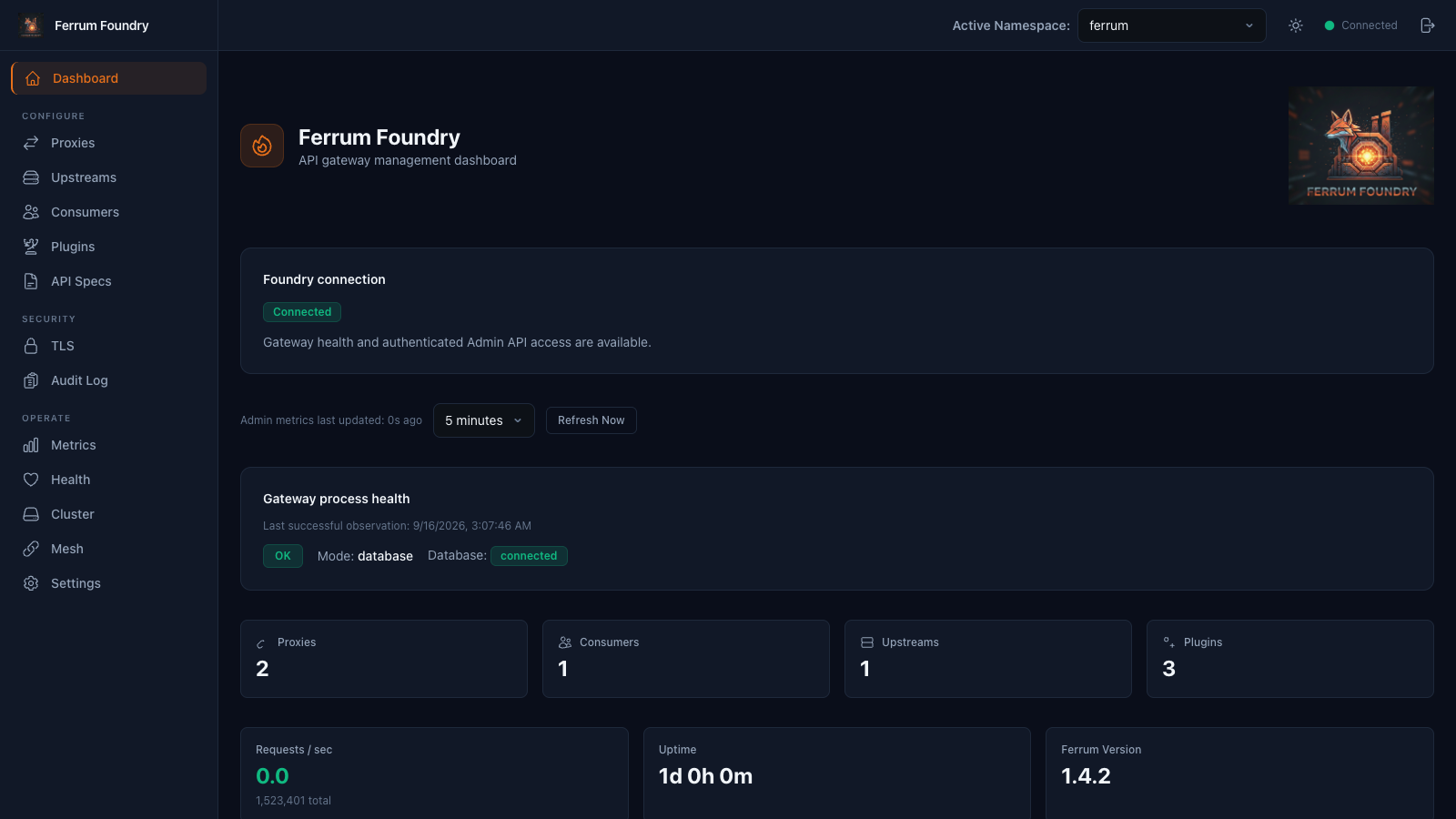
Everything the Gateway Exposes, in One Panel
Configure, secure and operate Ferrum Edge through its admin API, without hand-writing requests.
Resource management
Create, edit and delete proxies (HTTP and TCP/UDP/DTLS stream routes), consumers, plugins and upstreams, with server-paginated tables and complete-collection search.
Relational browsing
Move from a proxy to its plugins, its upstream and its targets (with subsets and locality) through tabs and breadcrumbs.
Consumer credentials
Key-auth, JWT, HMAC and mTLS rotation arrays with ACL groups. Basic-auth passwords can be added, replaced or deleted but are never read back.
Plugin catalog
80+ gateway plugins grouped by category, from auth and WAF to traffic control, AI gateway and billing, with config templates, execution triggers and global, proxy or group scope. The v0.4.0 release added the node-local MCP tool catalog and guarded per-tool allow, deny, discovery and group-grant editing.
TLS and certificates
Fleet-global certificate, CA, CRL, OCSP and JWKS stores, ACME orders (HTTP-01, TLS-ALPN-01, DNS-01), expiry tracking, surface rotation and PEM validation.
OpenAPI import
Create spec-managed proxies, upstreams and plugins from OpenAPI documents with x-ferrum-proxy extensions, then replace or delete them as a unit.
Metrics and health
Gateway stats, overload protection, host runtime, circuit breakers, pools, caches, chargeback and per-route metrics under one refresh policy, plus readiness and listener health.
Operations
An audit log with filters and redacted diffs, CP/DP cluster topology with an egress attestation view, backend protocol capability probes, and full configuration backup and restore.
Mesh observability
Mesh views include service graph, drift, policies, waypoints and SPIFFE trust. These surfaces are not qualified by the v0.5.5 release gates.
See It in Action
Historical screenshots captured in September 2026 against the bundled mock admin gateway. They do not show the complete v0.5.5 interface.
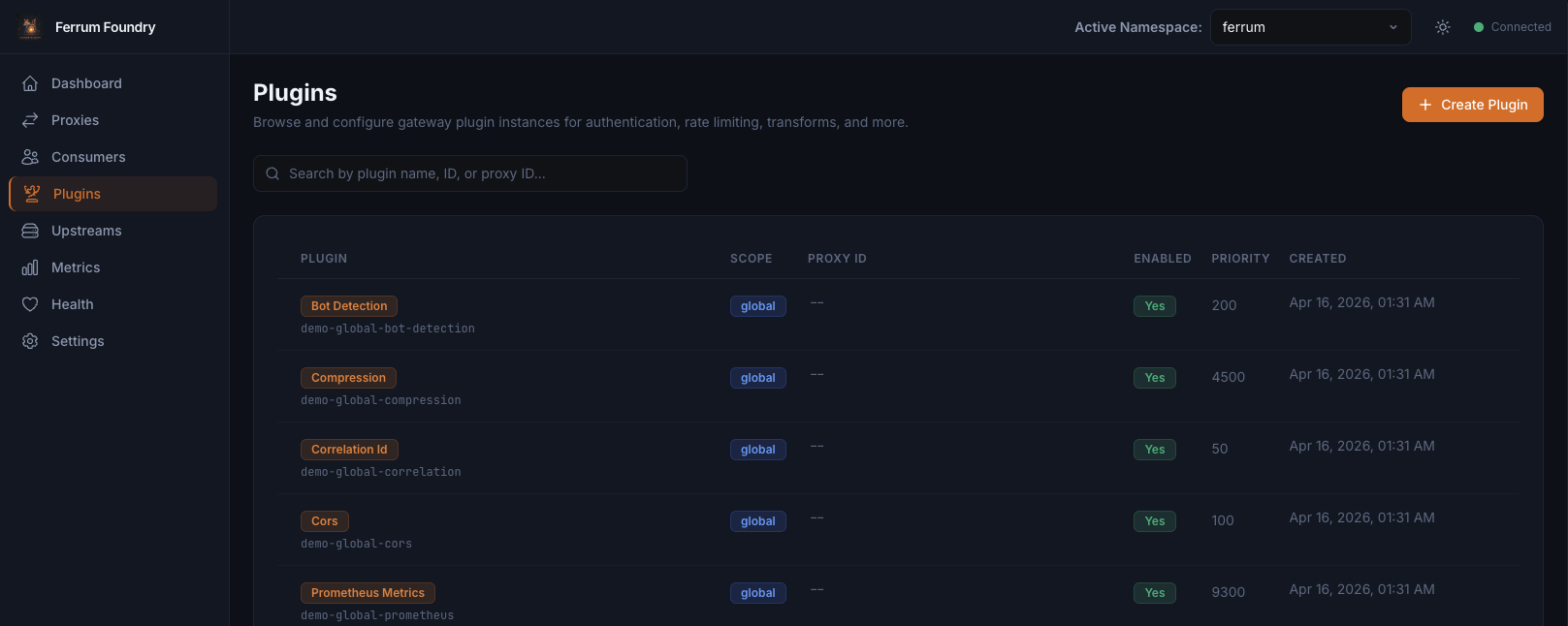
Configure plugins by scope and priority
Every plugin instance shows its category, scope, attached proxy, priority and whether it is enabled, with execution triggers where they apply.
- Default config templates for 80+ gateway plugins
- Global, proxy and proxy-group scopes
- Effective policy follows the gateway's own scope merge
- Enable or disable without removing configuration
Runtime state, one refresh policy
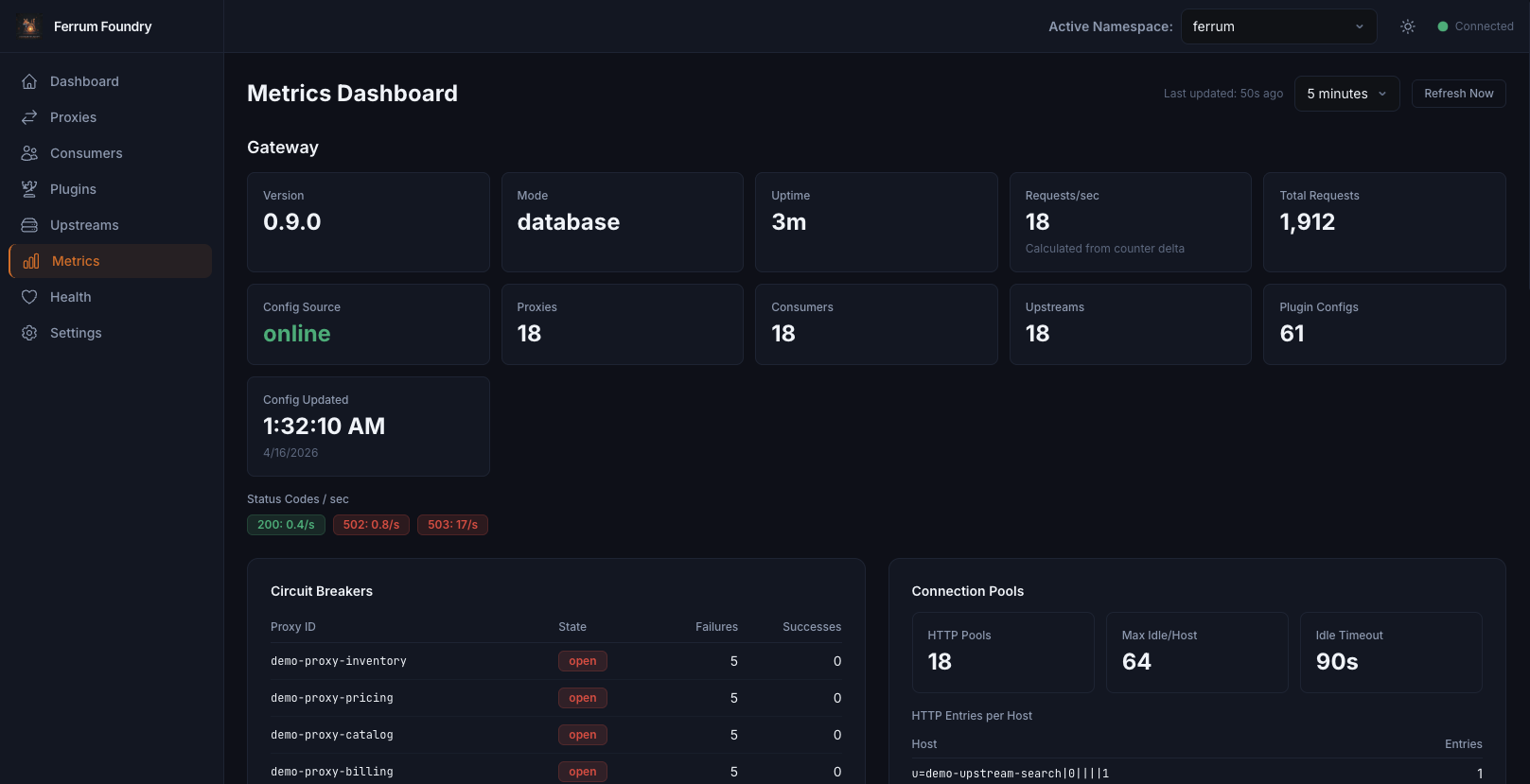
Gateway stats, status codes, overload protection and host runtime refresh together, and each panel shows when its own data was last fetched.
- Version, mode, uptime and request throughput
- Overload protection against file descriptor, connection and in-flight limits
- Circuit breakers, connection pools, load balancers and caches
- Prometheus, per-route and chargeback metrics
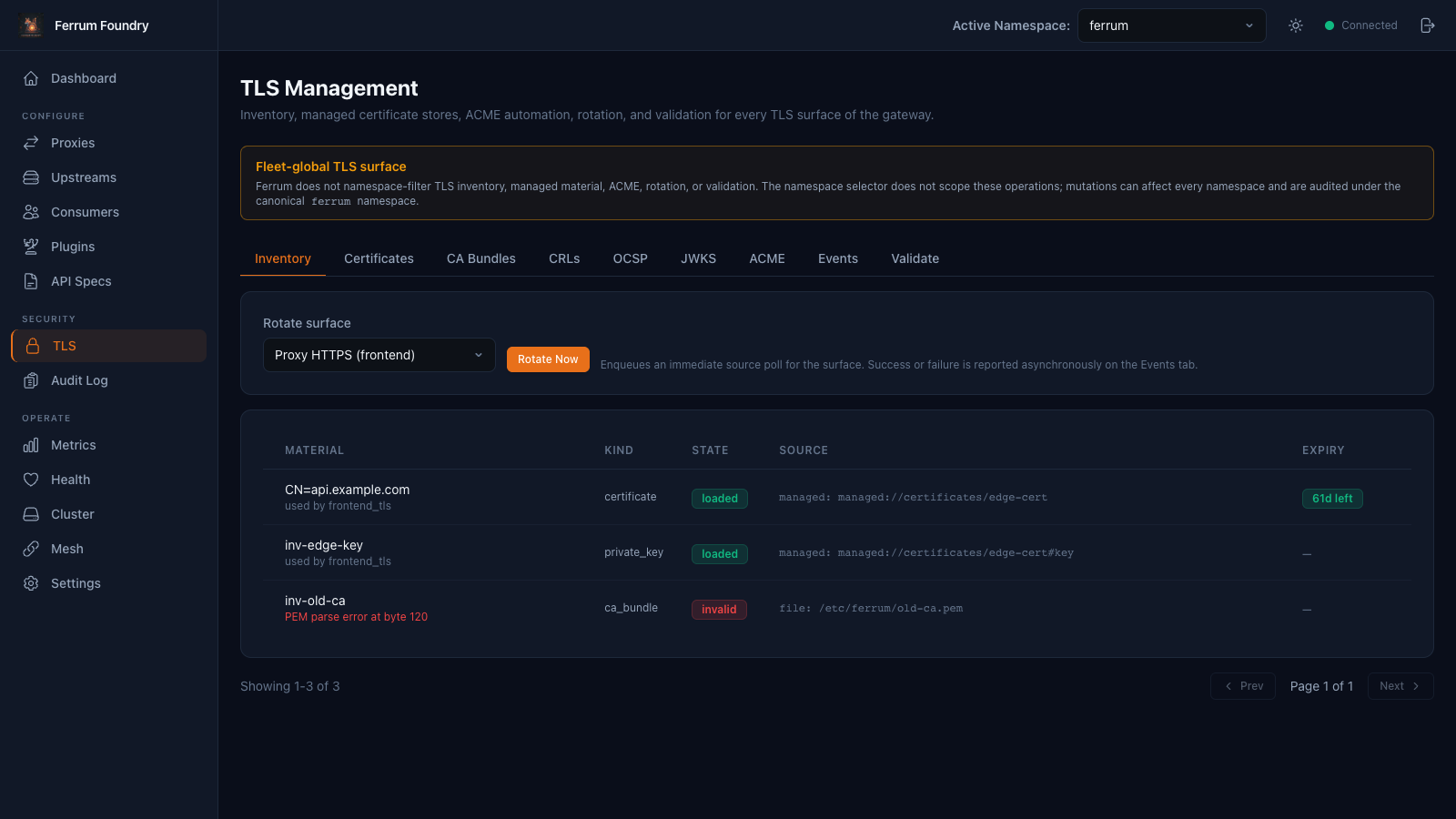
Every TLS surface of the gateway
An inventory of certificates, keys and CA bundles with their state, source and expiry. TLS is fleet-global, and Foundry says so before you change anything.
- Certificates, CA bundles, CRLs, OCSP and JWKS stores
- ACME automation with live-apply monitoring
- Rotate a surface on demand; results arrive on the Events tab
- PEM validation before material goes live
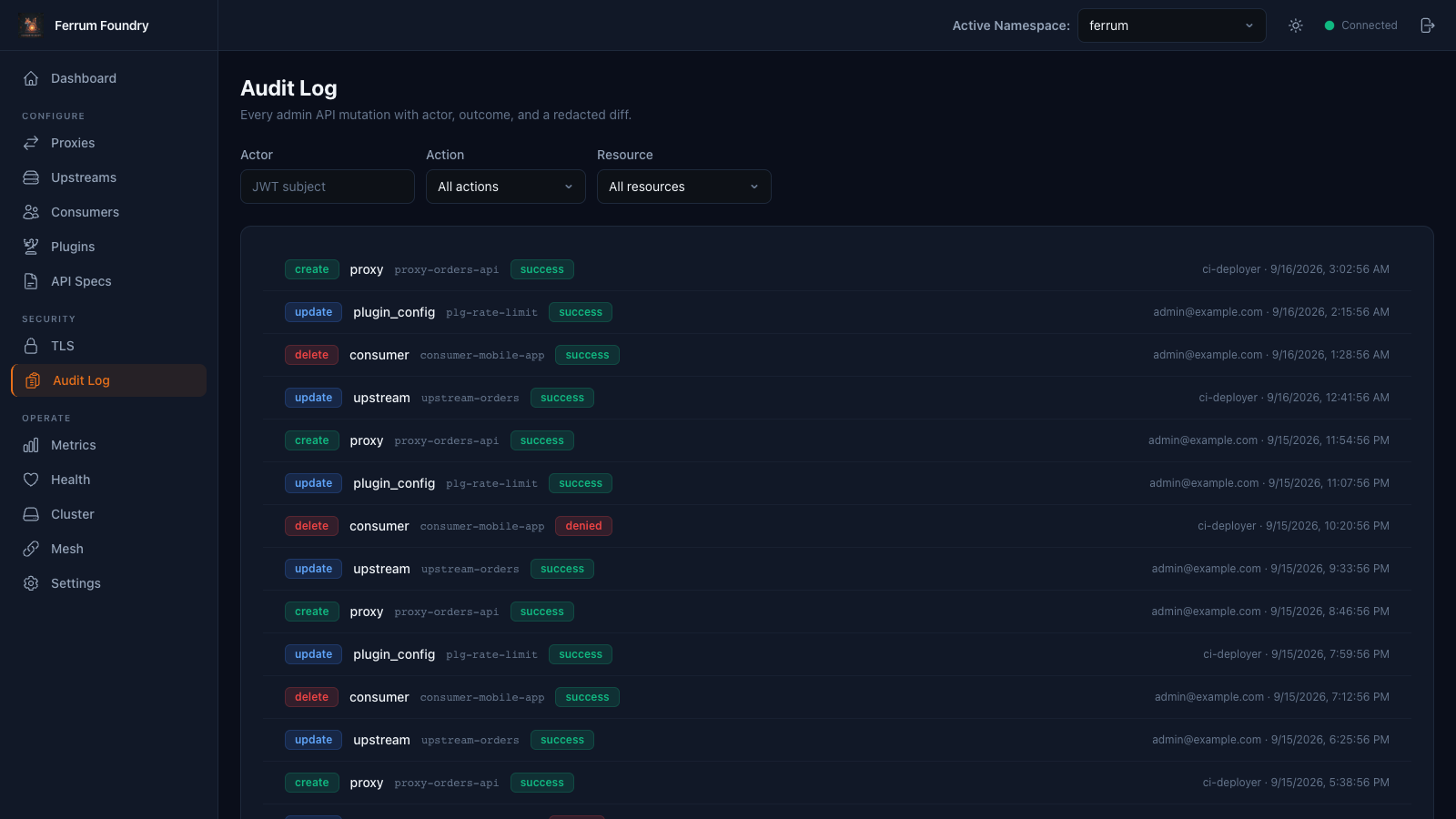
Who changed what, and whether it worked
Recorded admin API mutations with the actor, the resource and the outcome, filterable by action and resource type.
- Filter by actor, action and resource
- Diffs with secrets redacted
- Says when collection is disabled or delivery lags, instead of implying a complete record
A Backend-for-Frontend in Front of the Admin API
Foundry keeps no state of its own. Configuration lives in Ferrum Edge; the BFF authenticates people, signs a short-lived admin JWT for each request and does what a browser cannot.
OIDC sign-in
+ proxy proof
 Foundry BFFFastify on Node.js: sessions, CSRF, JWT signing, TLS trust
per request
 Ferrum EdgeAdmin API: the source of truth for configuration
Credentials stay server-side
The BFF holds the signing key and TLS trust store and enforces connect, read and write timeouts. Secrets echoed in a gateway refusal are replaced with [REDACTED] before anything is shown.
Namespaces and roles
viewer, operator and admin roles, and exact namespace grants via X-Ferrum-Namespace. Each operation stays bound to the namespace it started in.
Never shows a failed read as fact
A failed refresh names its last successful observation, policy and trust conclusions become unknown, and editors keep your draft while you retry.
Tech Stack
Quick Start
Try the full stack with the starter's demo profile, run Foundry from source for development, or deploy the released image behind your identity proxy.
-
Try it with the demo stack
bashgit clone https://github.com/ferrum-edge/ferrum-foundry.git cd ferrum-foundry git checkout --detach v0.5.5 cd deploy/starter export FOUNDRY_IMAGE=ferrumedge/ferrum-foundry@sha256:5bdfa947adead6895e9dbdc4b4db5ed7e960bd7fc5ebb9872ac722ced86a8b0f ./bootstrap-demo.sh docker compose --profile demo up -d # open http://127.0.0.1:8088The
demoprofile brings up a disposable Ferrum Edge gateway, a backend and a stub identity provider, with the same role and namespace policy as production. The getting started guide takes it to an authenticated request through the data plane; itsproductionprofile uses your gateway and OIDC provider. -
Or run from source for development
bashnpm ci export FERRUM_ADMIN_URL=http://localhost:9000 # Ferrum Admin API URL export FERRUM_JWT_SECRET=$(openssl rand -hex 32) # must match the gateway's FERRUM_ADMIN_JWT_SECRET export FERRUM_BFF_AUTH_TOKEN=$(openssl rand -hex 32) # development sign-in token export FERRUM_JWT_NAMESPACES='*' # exact namespace names, or * for every namespace npm run dev # Vite on :5173, BFF on :3001Static-token sign-in is for local development only; production startup refuses it. No gateway handy? Run
node scripts/mock-admin-gateway.mjsfor a mock admin API on port 9000. -
Deploy the released image
bashexport FERRUM_JWT_SECRET=... # the gateway's FERRUM_ADMIN_JWT_SECRET export FERRUM_TRUSTED_PROXY_SECRET=$(openssl rand -hex 32) docker run \ -e FERRUM_ADMIN_URL=https://your-gateway:9443 \ -e FERRUM_JWT_SECRET \ -e FERRUM_AUTH_MODE=trusted-proxy \ -e FERRUM_TRUSTED_PROXY_SECRET \ -p 127.0.0.1:8080:8080 \ ferrumedge/ferrum-foundry@sha256:5bdfa947adead6895e9dbdc4b4db5ed7e960bd7fc5ebb9872ac722ced86a8b0fThis is the published v0.5.5 image index digest, built from source commit
359e1cd4efab110475b294452dfeeaefc7a4d5e6. Pair it with the Edge v0.9.15 digest in the release notes and keep the BFF reachable only through an identity-aware proxy that strips client identity headers and sendsX-Ferrum-Auth-Secret,X-Forwarded-User,X-Ferrum-RoleandX-Ferrum-Namespaces. See production authentication and deployment.
Key Environment Variables
Invalid values fail startup. The configuration reference lists every variable with its range.
| Variable | Default | Description |
|---|---|---|
FERRUM_ADMIN_URL | — | Ferrum Edge admin API origin (required) |
FERRUM_JWT_SECRET | — | HS256 signing key, 32+ bytes, used verbatim; must equal the gateway's FERRUM_ADMIN_JWT_SECRET (required) |
FERRUM_AUTH_MODE | static | static (development) or trusted-proxy (production) |
FERRUM_TRUSTED_PROXY_SECRET | — | Proof the proxy sends in X-Ferrum-Auth-Secret, 32+ characters (trusted-proxy mode) |
FERRUM_BFF_AUTH_TOKEN | — | Development sign-in token, 32+ characters (static mode) |
FERRUM_JWT_NAMESPACES | — | Exact namespace names, or * alone. Required in static mode; an empty value fails startup |
FERRUM_JWT_AUDIENCE | — | aud claim; must match the gateway's FERRUM_ADMIN_JWT_AUDIENCE |
FERRUM_JWT_TTL | 900 | Lifetime of each admin JWT, in seconds |
FERRUM_TLS_CA_PATH | — | PEM trust store for an https admin API |
FERRUM_TLS_VERIFY | true | Verify the admin API certificate; never false in production |
FERRUM_CONNECT_TIMEOUT | 5000 | Connect timeout to the admin API, in ms |
FERRUM_READ_TIMEOUT | 60000 | Response deadline, in ms |
FERRUM_WRITE_TIMEOUT | 60000 | Request body idle and whole-body deadline, in ms |
PORT | 3001 | BFF listen port (8080 in the image) |
Works With the Rest of the Stack
Licensing
Ferrum Foundry is licensed under PolyForm Noncommercial 1.0.0 for non-commercial use; commercial licenses are available.